
Key Takeaways
- Learning AI in 2026 is the new baseline for staying competitive, regardless of your industry or technical background.
- There are two distinct paths to AI learning: the Power User path (no code required, results in days) and the Builder path (technical, career-changing, months of study).
- Prompt design is a learnable skill: clear communication with AI follows a simple framework anyone can master.
- Understanding the core benefits of AI helps you identify exactly where it fits into your work and where to focus your learning first.
AI has become the great equalizer. It doesn’t depend on your job title, degree, or years of experience. What matters most is whether you know how to use it effectively. As a result, people who understand AI are gaining an advantage in many fields, including healthcare, marketing, and technology.
Knowing how to learn AI is quickly becoming a basic professional skill. By 2026, it is part of what employers expect. The benefits are already visible in hiring decisions, performance standards, and everyday workplace efficiency.
The encouraging part is that the technical barrier is lower than before. Many AI tools respond to clear, structured language, so you can begin building useful workflows without starting with programming. In many cases, well-written instructions are enough to get started.
This guide is structured around a decision point, with two clear paths: Path A: The AI Power User (no code, immediate application) and Path B: The AI Builder (technical depth, long-term career leverage). Read both. Then choose the one that fits where you are and where you want to go.
Step 1: Choose Your Learning Path
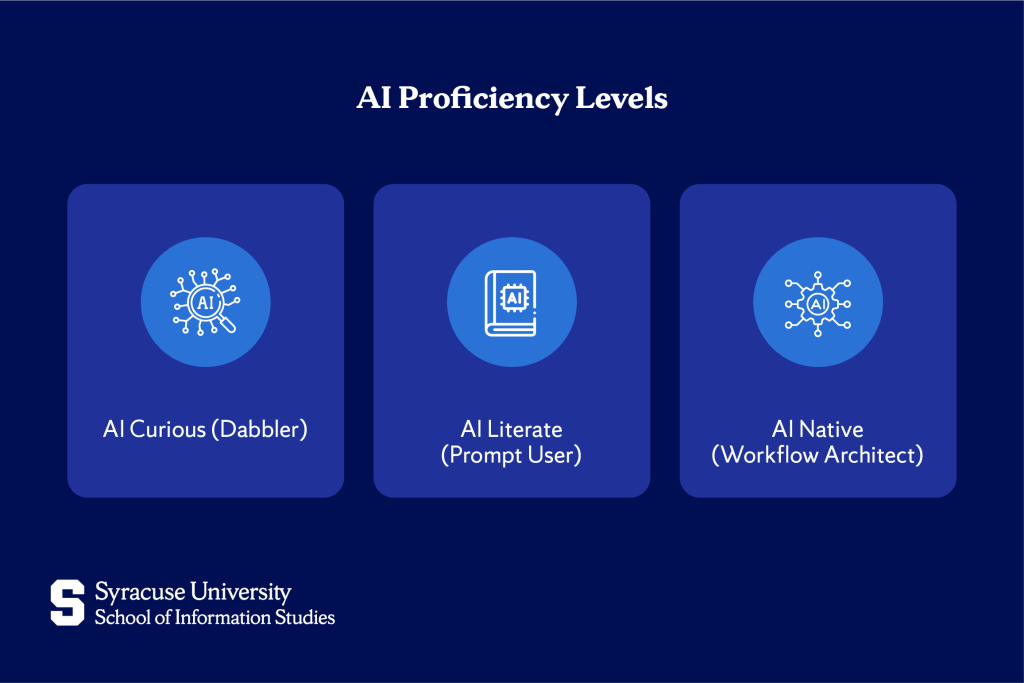
Before opening a course or experimenting with a tool, pause and make one clear decision. Identify where you currently stand on the learning spectrum.
- AI Curious (Dabbler): You’ve used ChatGPT a few times. You’re impressed but unsure how to make it actually useful.
- AI Literate (Prompt User): You use AI tools regularly for tasks such as writing, summarizing, brainstorming, or organizing ideas. However, your approach is informal and unstructured.
- AI Native (Workflow Architect): AI is woven into how you plan, create, and execute work. You think in terms of what AI handles vs. what you handle.
The goal of this guide is to move you from wherever you are to AI Native, through one of two routes.
There are many types of artificial intelligence worth understanding as you decide, but your path ultimately comes down to one question: do you want to use AI tools, or do you want to build them?
- Path A (Power User): For professionals who want to multiply their output, automate repetitive work, and stay competitive in their current role. No coding required. Time to value: days.
- Path B (Builder): For those transitioning into AI development, data science, or building AI systems. Requires math, Python, and patience. Time to value: months, but the career ceiling is much higher.
Path A: Becoming an AI Power User (No-Code)
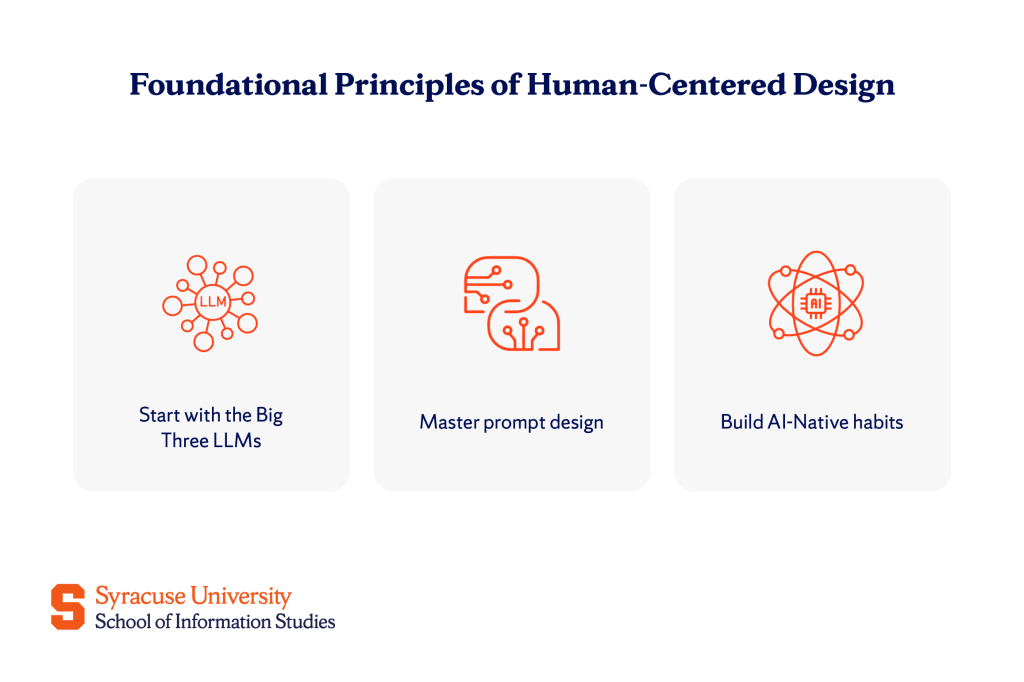
You don’t need to write a single line of code to build meaningful AI workflows. What you need is fluency: knowing which tools to use, how to direct them, and how to integrate them into your daily work.
Start with the Big Three LLMs
Every Power User should be comfortable across three core platforms before adding anything else:
- ChatGPT (OpenAI): Best for reasoning, structured instructions, and complex multi-step tasks. The default starting point for most users.
- Claude (Anthropic): Strongest for long-form writing, nuanced editing, and working through detailed documents. Exceptional at following careful instructions.
- Gemini (Google): Deep integration with Google Workspace makes it ideal for users already living in Docs, Sheets, and Gmail. And also the most capable multimodal option in the Google ecosystem.
Once you’re comfortable with the Big Three, add specialist tools for specific needs: Perplexity for research with real-time sourcing, and NotebookLM for working with your own documents and sources without hallucination risk.
If data privacy is a concern, especially for sensitive client or company information, explore local AI options like LM Studio, which lets you run open-source models entirely on your own device.
Mastering prompt design
Prompt design sounds technical, but it isn’t. If you can brief a smart intern, you can prompt an AI.
The standard framework that works across every tool:
Role + Context + Task + Constraints + Format
Example: “You are a senior marketing strategist [Role]. You’re launching a B2B SaaS product targeting HR teams at mid-sized companies [Context]. Write three subject line options for a cold outreach email [Task]. Keep each under 10 words, no exclamation marks [Constraints]. Return as a numbered list [Format].”
A few techniques that will significantly improve your results:
- The XML sandwich: When you’re giving the AI both instructions and raw data (like a document to summarize), separate them using tags: … and …. This prevents the AI from confusing what you want it to do with what you want it to work on.
- Prompt chaining: Instead of one massive prompt, break complex tasks into a sequence. Summarize first, then analyze, then draft. Each step builds on the last and produces cleaner results.
- Few-shot prompting: Give the AI two or three examples of the output you want before asking it to produce its own. This is the single fastest way to improve output quality, especially for tone-sensitive writing.
Building AI-Native habits
Tools are only as good as the habits around them. Here’s how AI Natives actually work:
- Breadcrumbing: Save chat links inside your project documents. When you revisit a project in three months, you’ll have a record of the AI reasoning behind your decisions, not just the final output.
- Swipe files: Build a personal library of your best AI outputs, including emails, frameworks, and copy that landed well. Feed these back to the AI as style guides when you want consistent results.
- The 3-minute rule: Before starting any task, ask yourself: “Can AI do the first draft of this?” If the task takes longer than three minutes, the answer is almost always yes.
- Friction removal: Set up a launcher like Raycast or Alfred so you can access AI with a single keystroke from anywhere on your desktop. The faster you can get to the tool, the more often you’ll actually use it.
Path B: Becoming an AI Developer (Technical)
This path focuses on building AI systems, not just using them. If you want to become an AI specialist, you should expect a more rigorous learning process. However, roles such as AI developer and research scientist are in high demand and offer strong career prospects.
One important point: consistency matters. A common mistake is jumping between popular tutorials and unfinished courses without completing any of them. Choose one main resource, finish it fully, apply what you learned in a real project, and then move on to the next step.
The foundation stack (math and code)
Python is non-negotiable. It’s the language of AI, used in research, production, and every major framework. Start here before anything else.
The math you actually need:
- Linear algebra: How data is represented and manipulated as vectors and matrices.
- Calculus: How models learn through gradient descent and optimization.
- Statistics: How to interpret model outputs, evaluate performance, and understand uncertainty.
It’s important to remember not to let math become a blocker. Learn just enough to understand why a model behaves a certain way, then move to coding. You’ll deepen your mathematical understanding naturally through practice.
Core AI concepts and the modern stack
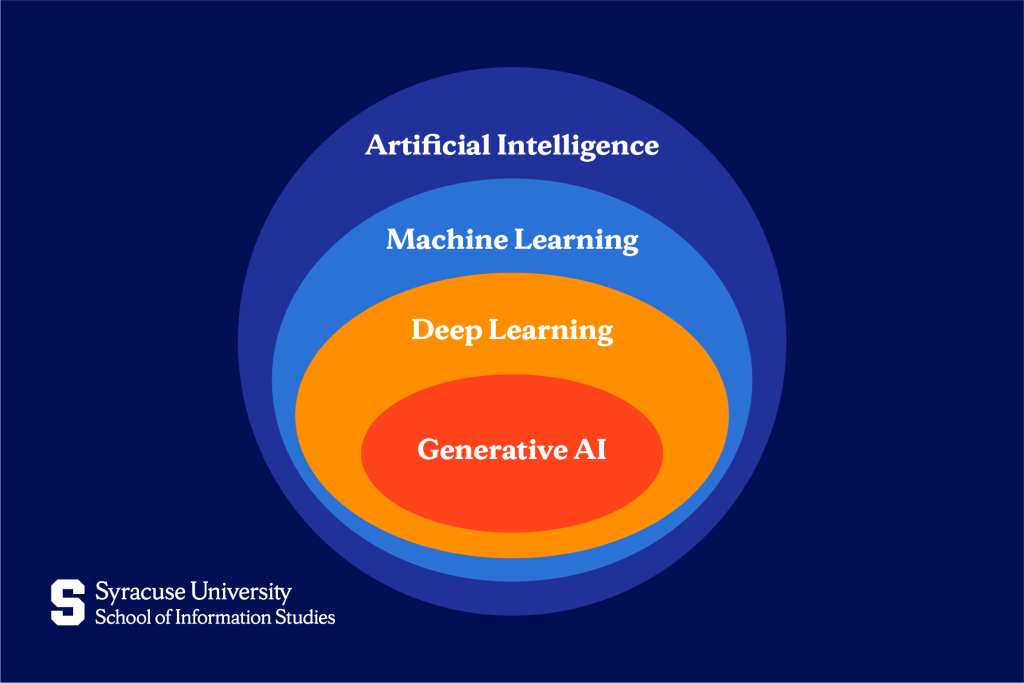
Before writing AI code, understand the landscape. The hierarchy looks like this:
Artificial Intelligence → Machine Learning → Deep Learning → Generative AI
Each layer is a subset of the one above it. Generative AI (the large language models powering ChatGPT and Claude) sits at the most specific end. It’s a form of deep learning, which is a form of machine learning, all of which fall under the broader AI umbrella.
Modern large language models are built on an architecture called the Transformer. At the core of this architecture is an attention mechanism, which helps the model decide which parts of the input matter most when generating a response. You don’t need to build a Transformer from scratch, but understanding how attention works will make you a stronger and more capable AI developer.
The tools you’ll use professionally:
- Hugging Face: The GitHub of AI models. Open-source models, datasets, and hosted APIs, where most practitioners start experimenting.
- LangChain: A framework for building applications powered by LLMs. Handles chaining prompts, connecting to external data, and building agents.
- PyTorch: The deep learning framework used in cutting-edge research and a large portion of production AI systems.
Structured learning resources
These structured resources provide strong foundations and practical experience.
University-grade free options:
- CS50 (Harvard, via edX): The best free introduction to programming fundamentals. Start here if you’re new to coding.
- Andrew Ng’s Machine Learning Specialization (Coursera): The most respected free resource for ML theory. Methodical and well-paced.
Project-based options:
- Kaggle: Data science competitions with real datasets. Compete, read other people’s notebooks, and learn by doing.
- Hugging Face Courses: Free, practical courses focused on NLP and transformer models, directly applicable to modern AI development.
However, start building your GitHub portfolio from day one. Recruiters in AI hire based on what you’ve built, not what courses you’ve completed. A well-documented project solving a real problem will outperform a list of certificates on any resume.
Top AI Skills to Master in 2026
Regardless of which path you’re on, these are the skills that will matter most across roles and industries this year:
- AI automation: Building workflows that chain AI actions together, for example, “When a new email arrives, summarize it, extract action items, and log them in Notion.” Tools like Make and Zapier make this possible without code.
- RAG (retrieval-augmented generation): The technique of connecting an AI model to an external knowledge base, such as company documents, PDFs, or internal wikis, so it answers questions using your data instead of making things up. This is the most in-demand practical AI skill right now.
- AI agents: Autonomous systems that can plan and execute multi-step goals on your behalf. Example: “Research this prospect, find their recent LinkedIn posts, and draft a personalized outreach email.” Agents are moving fast from experimental to production-ready.
- Data sanitation: AI produces garbage output when given garbage input. The ability to clean and structure data (what practitioners call data wrangling) is foundational, regardless of how sophisticated your models are.
Common Mistakes to Avoid
As you begin working with AI tools, understanding common mistakes can prevent wasted time and unrealistic expectations.
The “magic wand” fallacy
AI won’t do 100% of the work. The realistic frame is the 80/20 rule: AI handles 80% of the draft, and you provide 20% of the judgment, context, and polish. Expect that, and you won’t be disappointed.
Ignoring ethics and bias
AI models reflect the data they were trained on, which means they can reproduce and amplify human biases. Always audit outputs for fairness, accuracy, and potential misinformation before acting on them or sharing them. The responsibility for what you publish stays with you.
Security blindness
Never paste sensitive personal data, client information, or proprietary company content into a public AI model. That data may be used for training or exposed in ways you can’t control. Understand what data security is before you integrate AI into workflows that touch confidential information.
Tutorial hell
Watching videos about AI is not learning AI. You learn by prompting, by building, by breaking things and figuring out why. Every hour of passive watching should be matched by an hour of doing.
Start Now, Not When You’re Ready
The best time to start learning AI was three years ago. The second-best time is this weekend.
Pick one small project and start it before Monday. Not a course, but a project. Automate something you find time-consuming, or summarize a document you’ve been avoiding. That initial hesitation disappears as soon as you produce your first useful output.
Here’s your decision: Are you a User or a Builder? If you’re a User, open Claude or ChatGPT right now and practice the Role + Context + Task + Constraints + Format framework on something real. If you’re a Builder, install Python, complete the first module of CS50, and push something to GitHub this week.
If you want a structured, mentored path that takes you from AI fundamentals to a career in AI development, Syracuse University iSchool’s Applied Human Centered Artificial Intelligence Master’s Degree prepares graduates to build and lead AI systems with both technical depth and human-centered design thinking.
Explore the Applied Human Centered AI program and see how you can build a career at the frontier of the field.
Frequently Asked Questions (FAQs)
Can I learn AI myself — and is it free?
Yes to both. The Power User path is almost entirely free; ChatGPT, Claude, and Gemini all have free tiers, and prompt design costs nothing to practice. The Builder path has excellent free resources too: CS50, Andrew Ng’s specialization, Kaggle, and Hugging Face courses are all free or low-cost.
Do I need to learn programming to work with AI?
Not if you’re on the Power User path, as natural language is your interface. If you want to build AI systems or develop models, Python is essential. There’s no shortcut there, but it’s more learnable than most people expect.
How long does it take to learn AI from scratch?
Power Users can build genuinely useful workflows within a week of focused practice. Builders should expect 6–12 months of consistent study before they’re competitive for AI development roles (longer if starting with no programming background).
What is Agentic AI, and how do I learn it?
Agentic AI refers to systems that can autonomously plan and execute multi-step tasks, not just respond to prompts, but pursue goals. To learn it, start with LangChain’s documentation and build a simple agent that can search the web and summarize results. That single project will teach you more than most courses on the topic.
What is the difference between learning Generative AI and Machine Learning?
Generative AI is a subset of machine learning focused on models that create content (text, images, code). Learning Generative AI means learning to use and fine-tune these models. Learning Machine Learning more broadly means understanding the full range of techniques, like regression, classification, and clustering, that power AI across industries. Most serious practitioners learn both.